
AI Agent
An AI Agent That Follows Your Call Flow
Design conversations as states, route calls with rules you control, and let the AI Agent book, qualify, text and transfer on the phone system your customers already use.
30-day partner trial. No card needed.

State-Based Flows
Structure Built Into Every Conversation
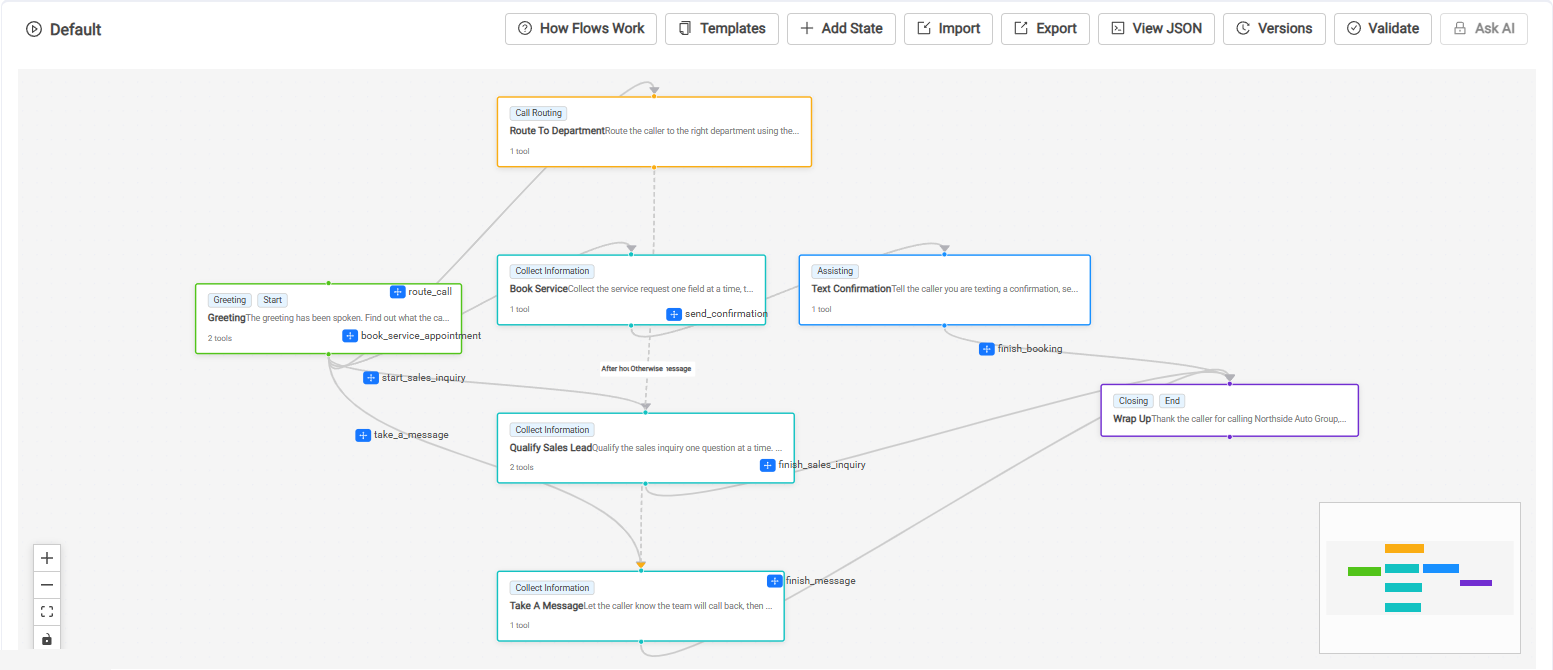
A single prompt asks one model to decide everything on every turn. A Calldacity flow breaks the call into states. At any moment the AI Agent sees only the current state’s instructions and tools, and moves on through the transitions you drew.
Tools Scoped To Each State
A state only exposes the tools you put in it. The AI Agent cannot transfer from the booking step or place an order during the greeting.
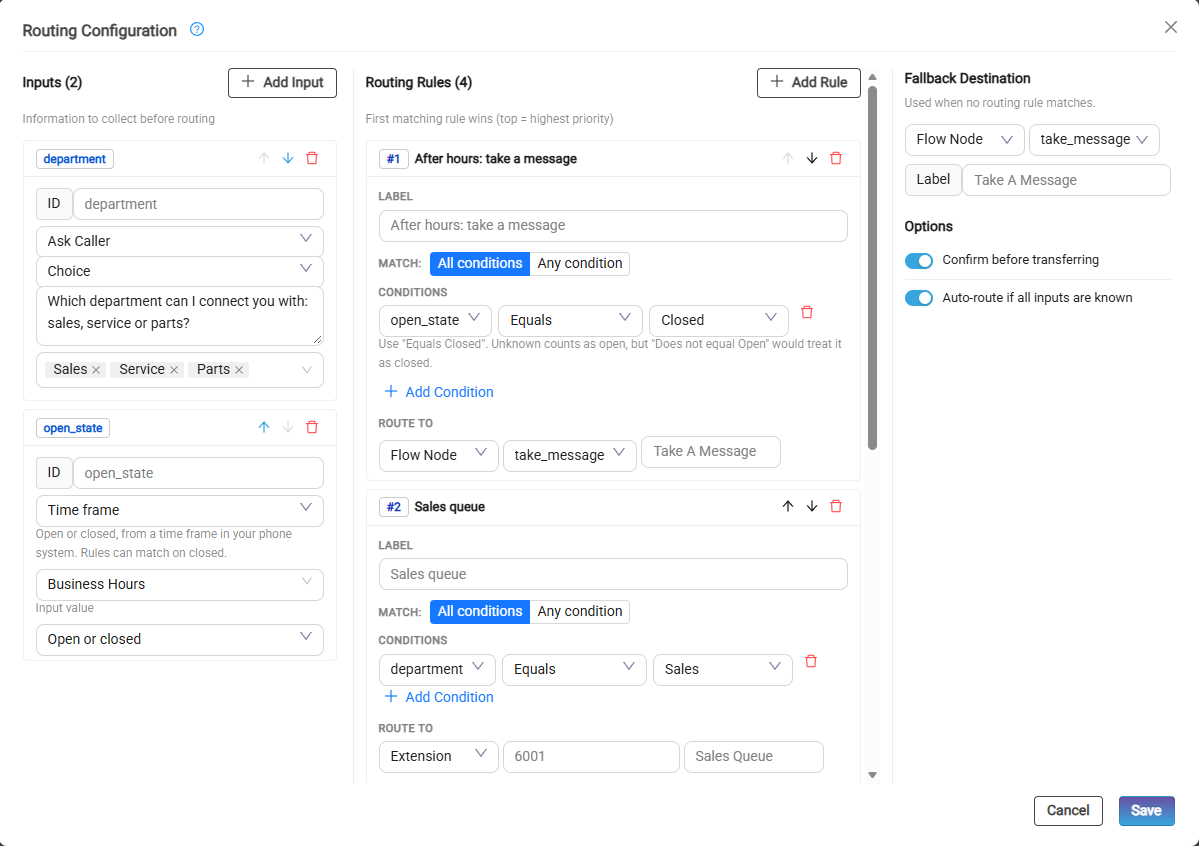
Rules Make The Routing Call
Route by caller ID, area code, the caller’s answers, language, or open, closed and holiday hours, to an extension, number, user, queue or another state, with a fallback.
Memory That Carries Forward
Names, callback numbers and reasons collected in one state pass to later states and into texts, emails and webhooks. Long calls can reset or summarize history to stay focused.
After-Hours Flows
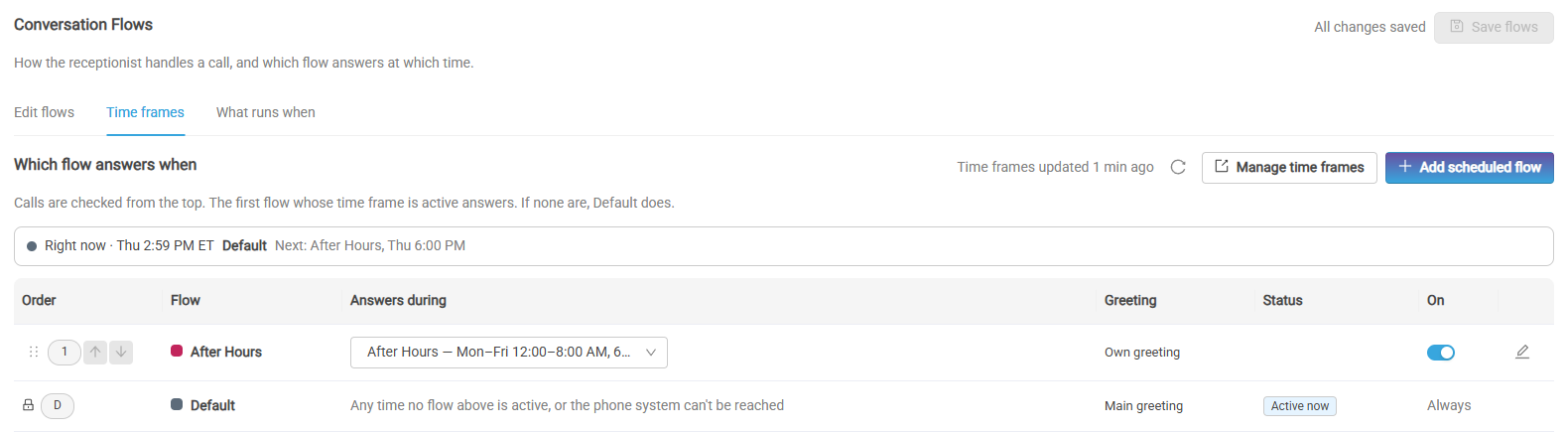
Swap in a whole different flow and greeting for nights, weekends and holidays, driven by the phone system’s own time frames.
Versions And AI Review
Check a flow before it goes live, restore an earlier version, start from a template, or export and import flows as JSON.
Safe Fallbacks
If something goes wrong, the call falls back to a default flow, a failover extension or a person, instead of whatever a lone prompt happens to do.
State based vs prompt engineering · Building conversation flows · Call routing rules · Transition descriptions as tools · Scheduled flows · Flow versions, validation and AI review
Program It Once
Configured From The Phone System
Reads Your Real Phone System
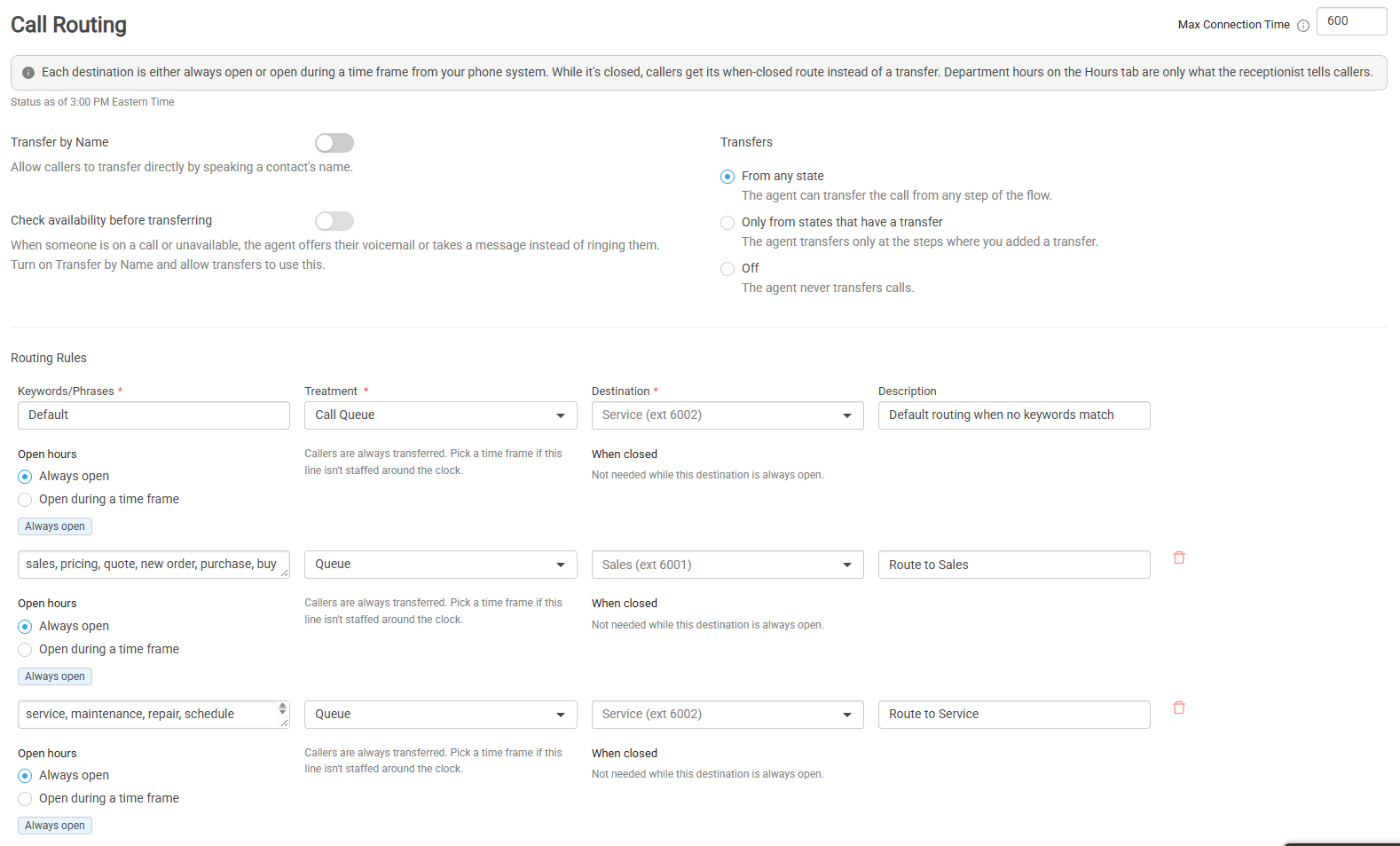
Setup pulls the domain’s users, call queues and auto attendants from NetSapiens, so the AI Agent recommends real transfer targets like the Sales queue and suggests a free extension for itself.
One Schedule, Not Two
Business hours become phone-system time frames. Calldacity reuses a matching time frame or creates one, and the after-hours flow runs on that same schedule. Change the hours once and both stay in step.
Live On The Switch
Going live provisions the AI Agent’s user and extension on the phone system for you. During calls it reads the live directory, colleague presence and queue status before it transfers.
On Every Call
What The AI Agent Can Do
Answer & Route
Transfer to an extension, queue, outside number or voicemail box. Find people by name in the directory and check whether a colleague is free before transferring.
Ask A Teammate
Message a team member in Calldacity Connect or native NetSapiens chat: “Can you take this call?” Accepted, the call transfers. Declined, it goes to voicemail, a message or the next step.
Book Appointments
Book on Google Calendar, Outlook and Microsoft 365, Microsoft Bookings or Calendly, or text the caller a booking link.
Qualify Leads & Take Messages
Collect typed answers like name, phone, email and choices. Partial details are still submitted if the caller hangs up.
Text The Caller
Send links, directions or confirmations by SMS in the middle of the call.
Answer From Your Knowledge
Search up to five knowledge bases built from documents, websites, and connected Confluence and Zoho Desk sources.
Act In Your Systems
Look up callers and create leads, tickets and appointments in your CRM, call your own APIs, or use MCP and Zapier tools. Choose per tool: allow, ask the caller first, or off.
Notify Your Team
Send call details by email, SMS, webhook, Slack, Microsoft Teams, Zapier or n8n, during or after the call.
Block Spam Calls
Repeat-caller limits are on by default, with an allow list and per-agent overrides.
Sounds Natural
Built For Real Conversations
- 10 languages with automatic detection and mid-call switching (available by plan), and 50+ languages for speech recognition
- Callers can interrupt, and short sounds like “uh-huh” do not cut the AI Agent off
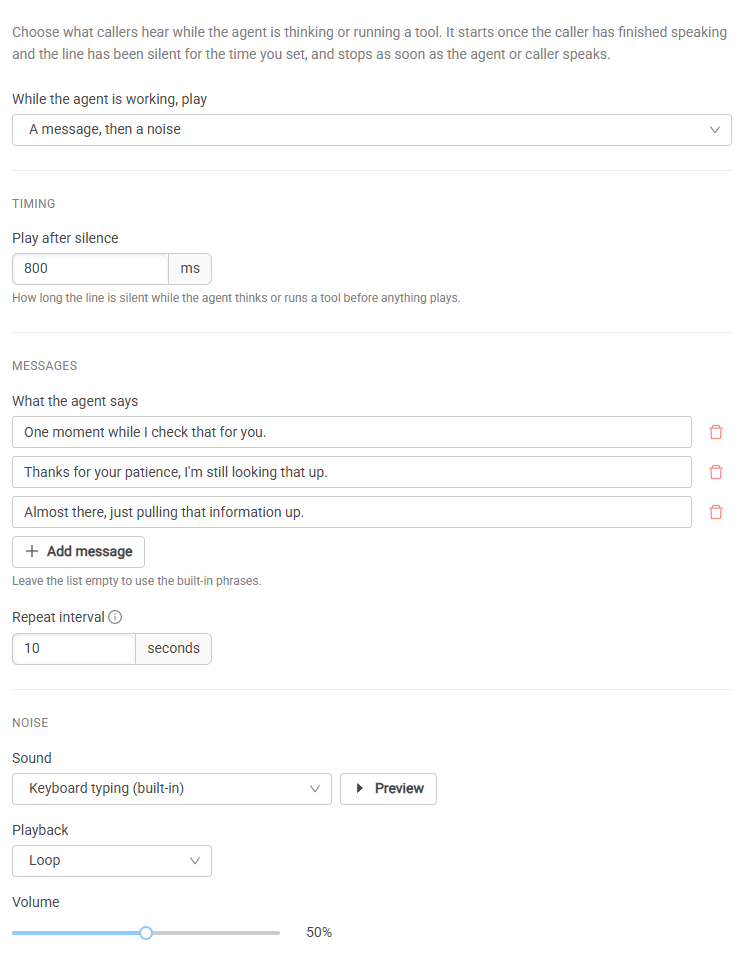
- Comfort messages and sounds while tools run, and gentle reminders when a caller goes quiet
- Choose from 9 speech recognition, 9 voice and 11 language model providers per agent
- If a provider fails mid-call, the AI Agent switches to a backup instead of dropping the call
See Every Call
Recordings, Transcripts & Analysis
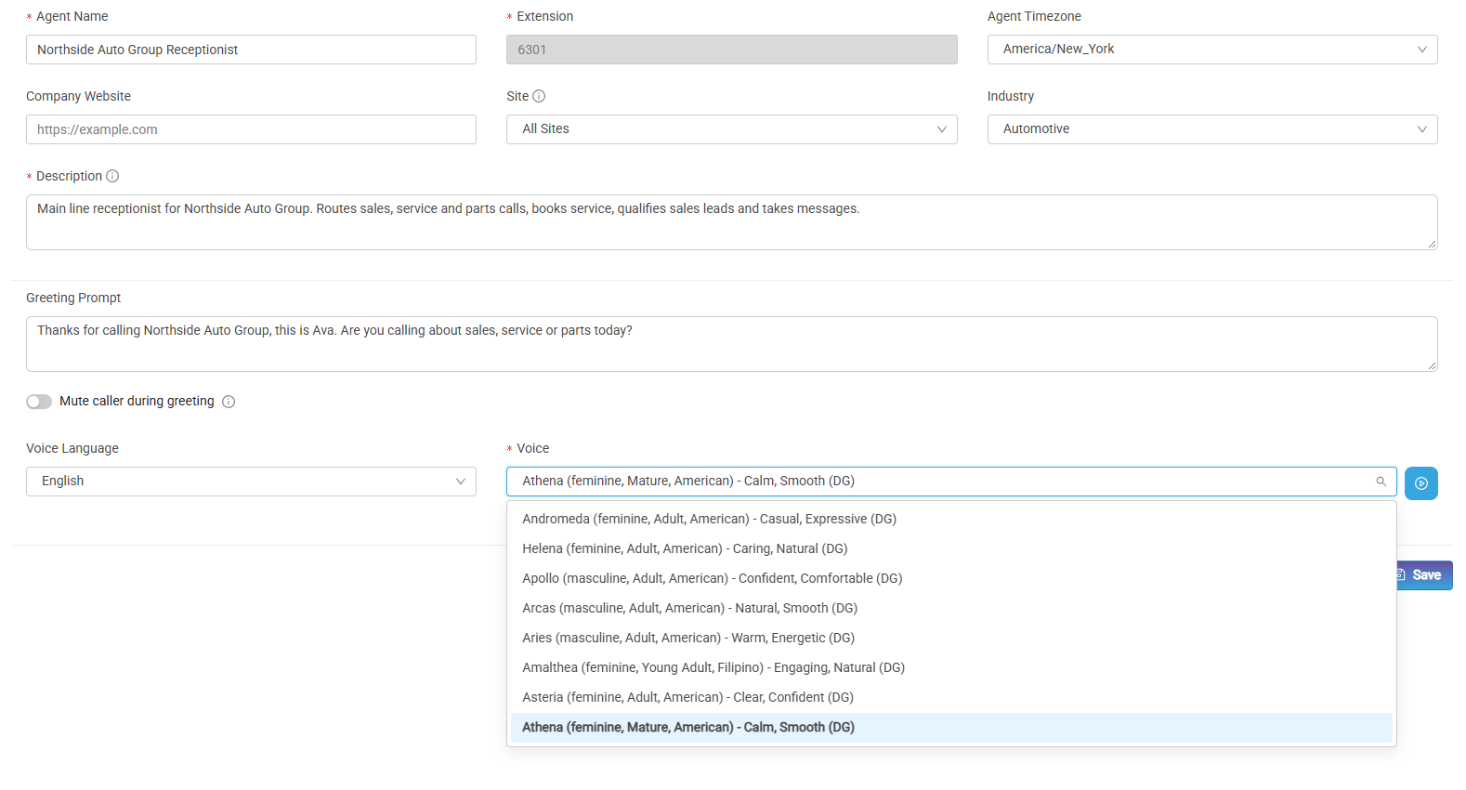
- Recording, transcript and AI-written summary for each call
- AI call analysis with a score, sentiment trend, key moments and recommendations (available by plan)
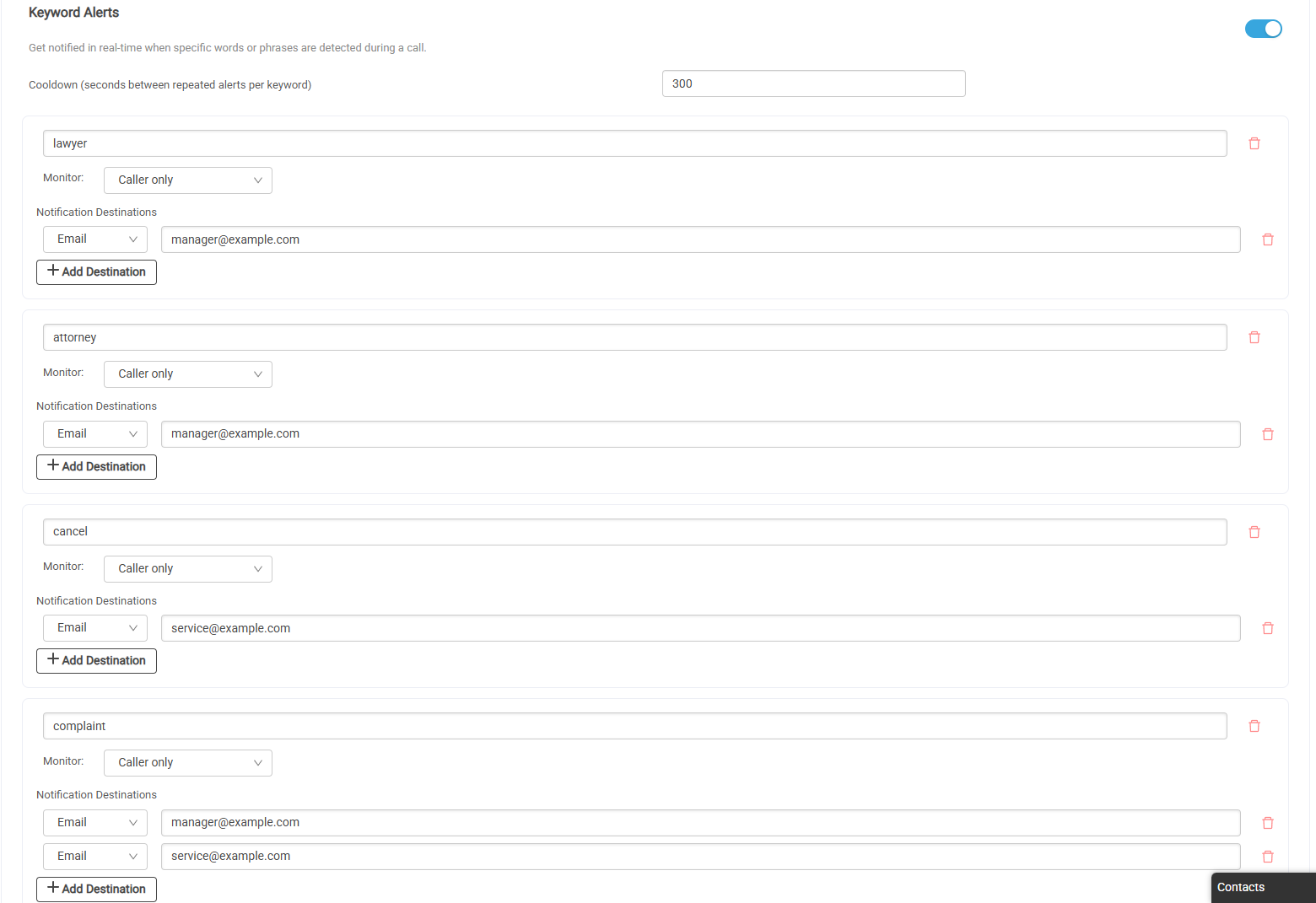
- Live alerts on keywords, caller intent and sentiment (intent and sentiment alerts depend on plan)
- Dashboards for calls, resolution rate, average latency and time saved
Build & Test
From Website To Working Agent
Build With AI
Available on request. Describe the business or point at its website. An interview drafts the agent, suggests real transfer targets from the phone system and connects calendars and CRMs.
Start From A Template
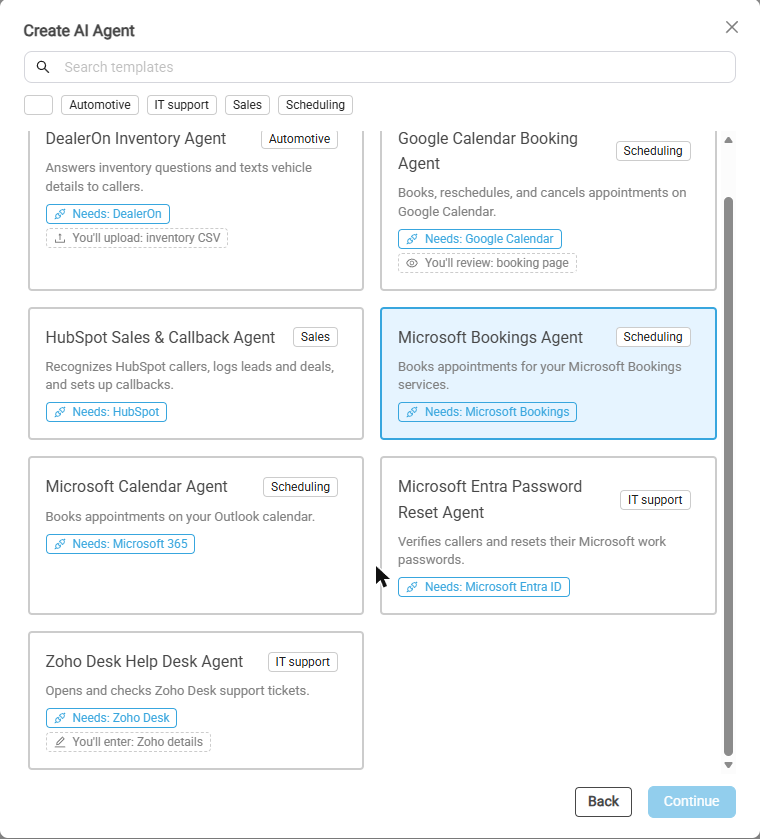
Begin from a template, or save your own as a custom template to reuse across customers.
Test In The Browser
Talk to the AI Agent from your browser before it takes a single real call.
By Industry
Ready For Your Customers’ Verticals
Automotive Dealerships
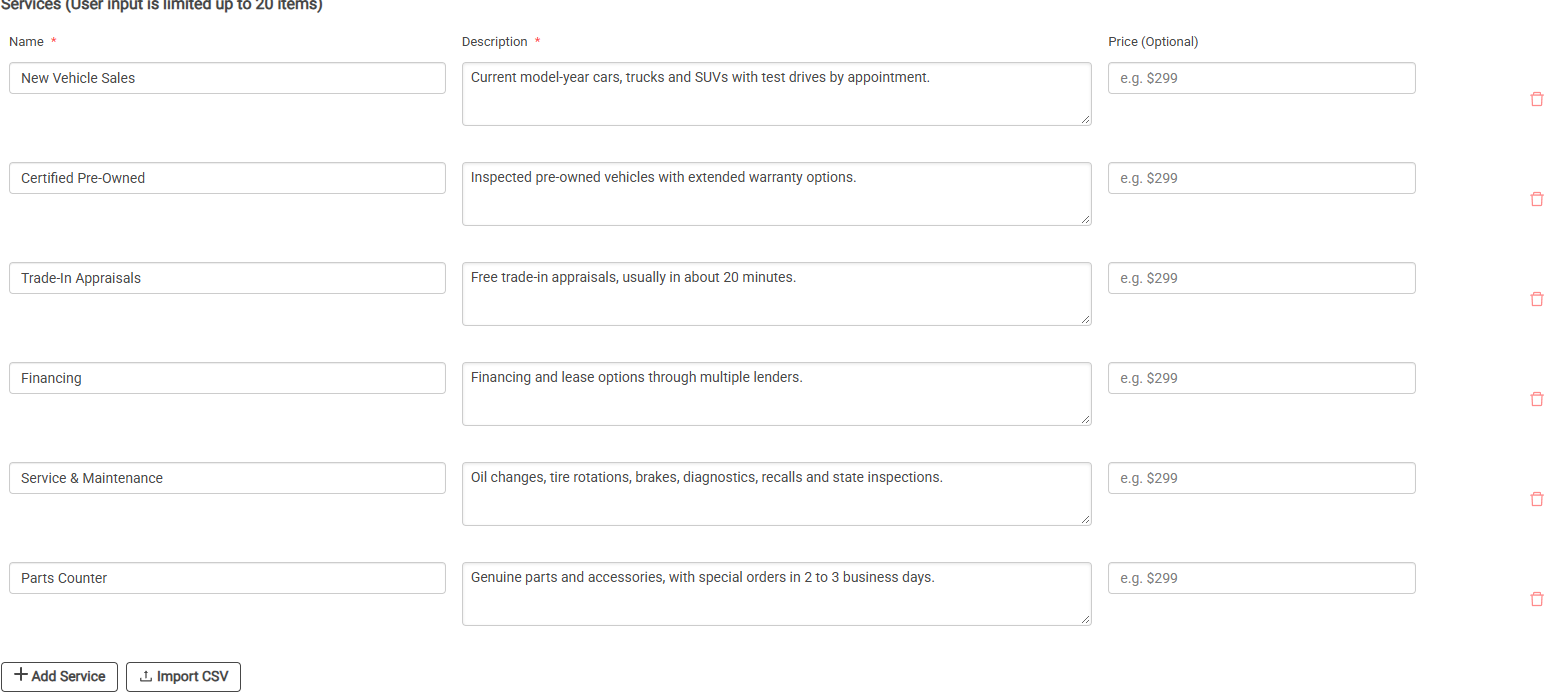
Identify callers, check open opportunities, book appointments and create leads in CDK CRM (formerly eLead), and search vehicle inventory with DealerOn.
Restaurants
Take phone orders with menu search, upsells, pickup times and order submission through Heartland.
Healthcare On-Call
Route callers to the on-call clinician from the QGenda schedule, with HIPAA Ready configuration available.
IT Help Desk
Verify a caller’s identity and trigger a Microsoft Entra password reset by voice.
Any Business
Answer, route, book and take messages for any office, with a separate after-hours flow.
Put An AI Agent On Your Phone System
Start a free 30-day partner trial. Pick your portal and services, and your install code is ready in about a minute.